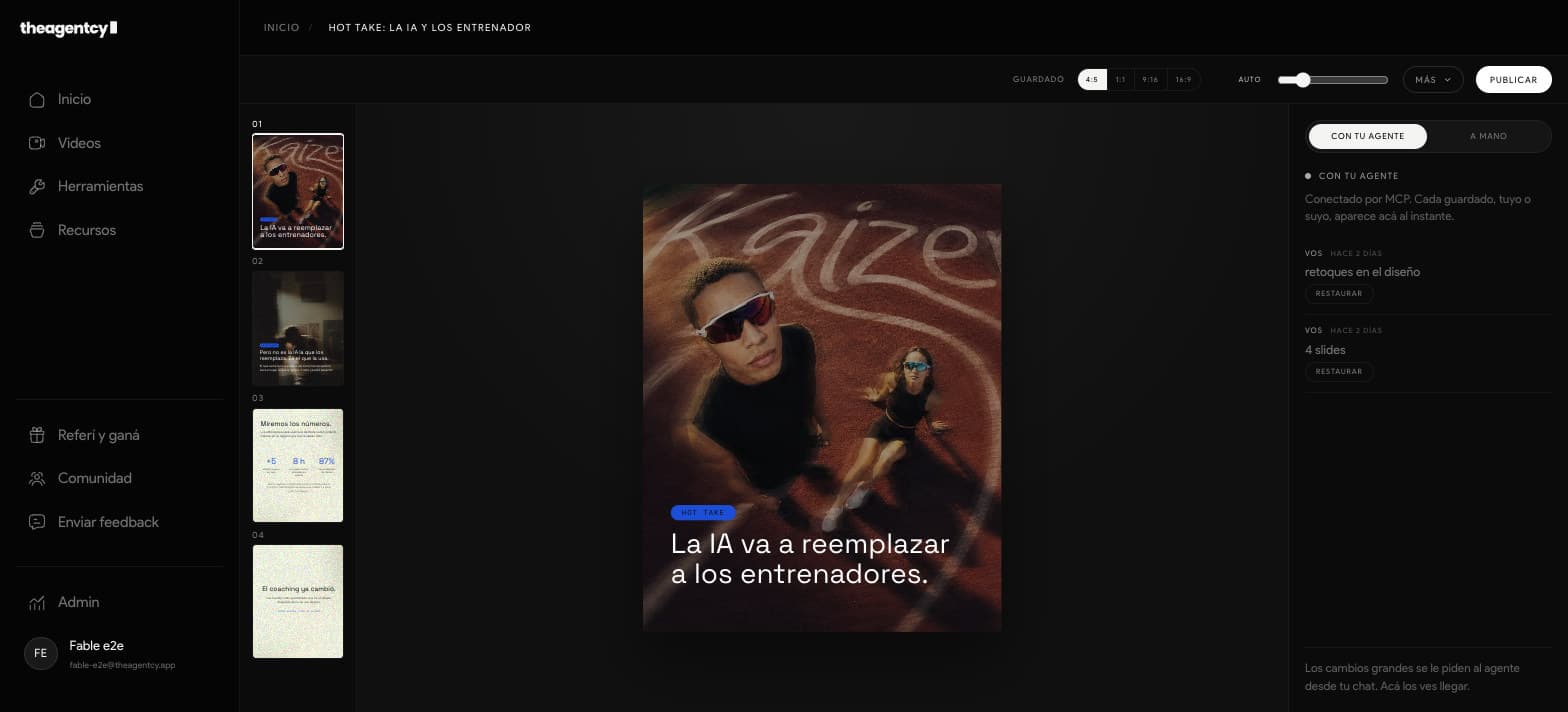
Tell your agent what you want to explain. The result appears slide by slide in your workspace so you can read, edit, and export it.

ONE PIECE, ONE THREAD
From the ask to the final decision.
- 01
Ask for the work
Give your agent the idea, source material, and intended format.
- 02
Review the piece
Read the copy and see the hierarchy in the same workspace.
- 03
Choose the output
Download it or publish when it is actually ready.
WHAT STAYS UNDER CONTROL
Your agent moves. You keep the judgment.
The brand, files, and piece stay connected through the whole workflow. Nothing publishes without your final choice.
- 01
One idea per slide with controlled text
- 02
4:5, 1:1, 9:16, and 16:9 formats
- 03
Version history so you can restore a save
THE WORKSPACE
The piece never disappears behind the chat.
You see the actual output while your agent works. The same piece is the one you review, restore, download, or publish.